


Product Comparison: Janome MC100E Vs Brother Innov-Is M330e
Embroidery enthusiasts that are strapped for space face a tough choice: do you sacrifice hoop versatility and precision to keep their workflow (and sewing room) tidy, or wrestle with bulky machine and awkward angles? While that can be the case for many embroidery only machines in Australia, it does not have to be.
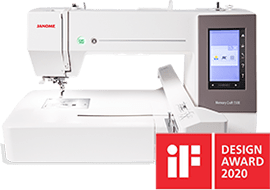
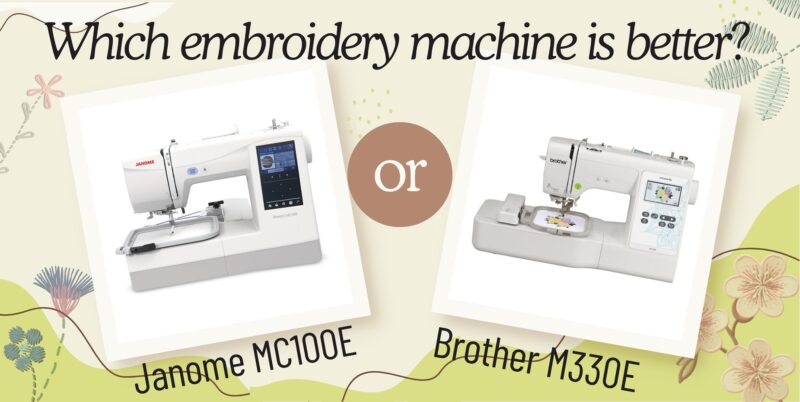
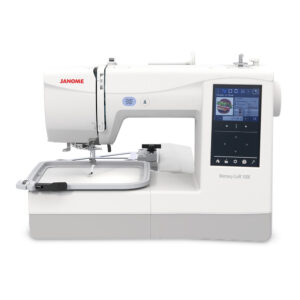
In this compact embroidery machine review, we pit the Janome MC100E against Brother’s popular embroidery only model, the Innov-is M330E to see which model delivers pro-grade performance in a small footprint. You’ll get a front-row look at hoop options, stepper motor accuracy, interface intuitiveness, and USB connectivity—so you can decide once and for all which machine earns a permanent place on your crowded craft desk. We have a tl;dr at the bottom of the page for those who want to step to the end, so without further ado, let’s explore these machines and what is the best embroidery machine to buy.
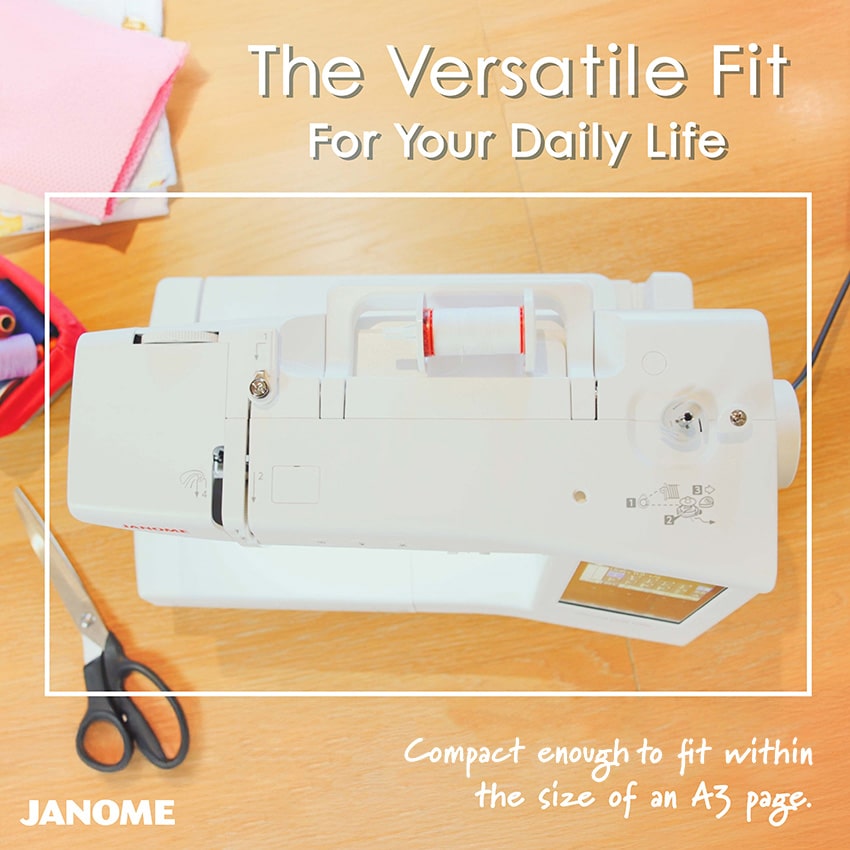
Form Factor & Footprint: Compact Powerhouse
Now, more than ever, size matters. While there are some that have a decided crafting room, many of us have a combo crafting room/kitchen table/office table, and as such, getting the most ‘machine per inch’ is important.
- Janome MC100E dimensions: 432mm W x 301mm H x 270mm D (17″ W x 11.85″ H x 10.6″ D)
- Brother M330E dimensions: 530mm W x 307mm H x 250mm D (20.8″ W x 12.08″ H x 9.84″ D)
Both the Janome compact embroidery machine and its Brother embroidery machine counterpart are comparable in size and fit roughly within the area taken by an A3 sheet of paper.
Points Awarded: Both Janome and Brother
Hoop Size Showdown: Versatility Wins
The size and availability of the machine embroidery hoops determines what types of projects that you can take on with your embroidery machine. Remember that it is always easier to hoop a smaller project into a larger hoop (through basting and, sprays, and magnetic attachments, like Hoop It) than it is to slice and realign a design to fit a large project into a smaller hoop.
Out of the box, these machines come with the following hoops:
- Janome MC100E: the SQ14e Hoop (140mm x 140mm / 5.5″ x 5.5″ Embroidery Area)
- Brother M330E: the M Hoop (100mm x 100mm /4″ x 4″ Embroidery Area)
While both hoop systems will allow you to breeze through baby bibs, patches, and embellishmenrts, and motif, the MC100E’s larger hoop enables bigger projects, like jacket backs without extra design splitting and rehooping.
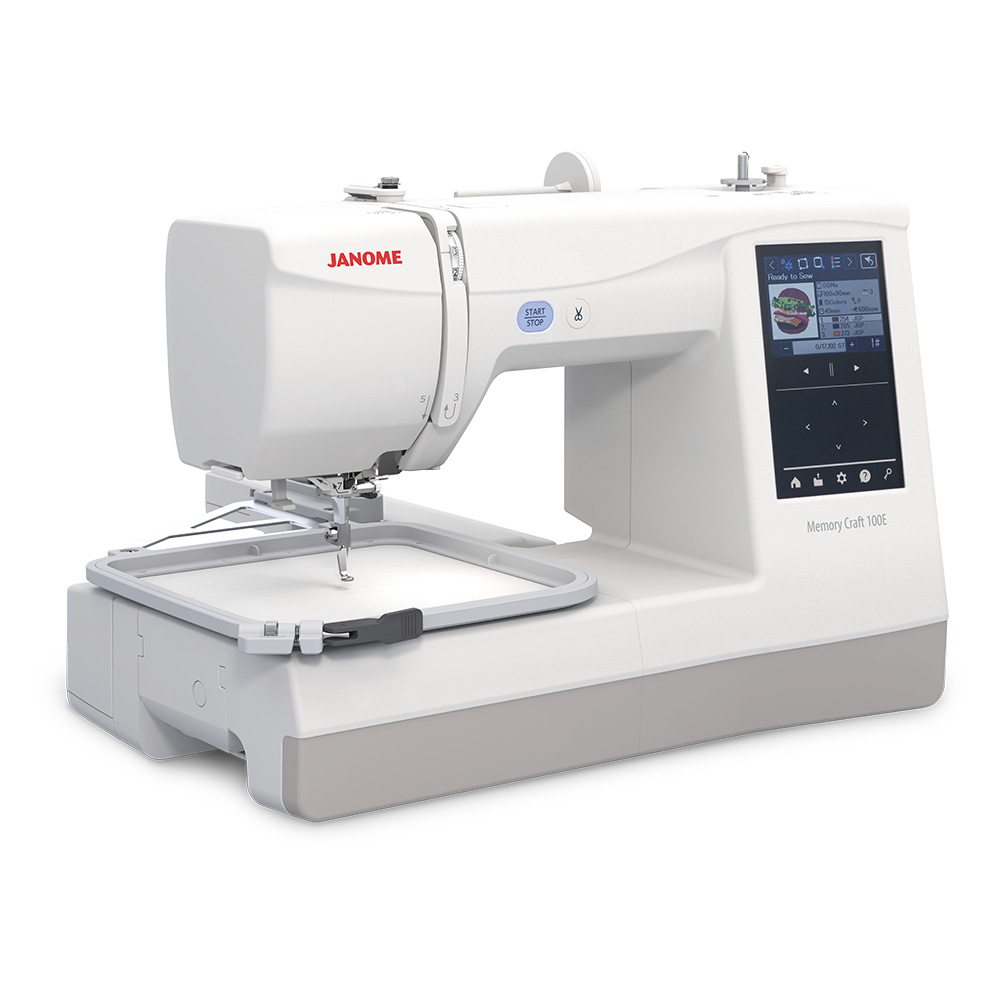
Of course, embroidery hoop versatility is nothing without discussing the hoop change speed (the time it takes to insert your material, flatten and tension the fabric and the tighten the hoop). For decades, machine embroidery hoops have used variations of the same screw system. You insert your fabric, do what you need to get it ready and then use your hand (or a screwdriver) then tighten a small screw at the front of the hoop; and should something be out of place, you often would have to loosen the screw and start again.
While there is nothing wrong with this system, the hoops for the MC100E have considerably simplified the processed with their lever tightening system. With a flick of the wrist the SQ14e (and all of the optional hoops) can be tighten or released as needed. However, this is not where the true benefit of this system lies. Janome have added a middle stop point to the lever so that you can make easy adjustments to your fabric without having to risk unhooping your work.
Points Awarded: Clearly Janome. With a larger included hoop and an easier hoop fastening system, the Janome MC100e has greater versatility in regard to hoops.
Speed & Stitch Precision: Stepper Motor Edge
You don’t have to be in NASCAR to want to go fast, but speed alone is nothing without precision. Both compact embroidery machines have a comparable top stitching speed; Up to 650 stitches per minute (spm) for the M330E, and 660 spm for the MC100E, however that is just translates to the needle going up and down. The true test of ‘speed’ on an embroidery machine is the precision of the stepper motors that control the hoops movement. With decades of experience creating precision industrial robotics, Janome has mastered fine stepper motor control, ensuring a ±0.1mm accuracy in their motors’ registrations. This means that long jump stitches at high speed do not led to minor misalignments in the design.
It should be noted that while the product description on the Brother M330E does state 650spm on multiple sites, the Brother M330E instruction manual states the maximum embroidery speed is only 400 spm.
Points Awarded: Janome. While slightly faster, their stepper motor technology is industry leading, ensuring beautiful embroidery stitching.
User Interface: Tap & Go Vs Button Gymnastics
When the Janome MC15000 came out, Janome has a advertising campaign on its usability. It shows people with the verious embroidery designs that they stitched out and asked them the simple question: “How did you do that?”, to which they replied:
“I pushed the button”
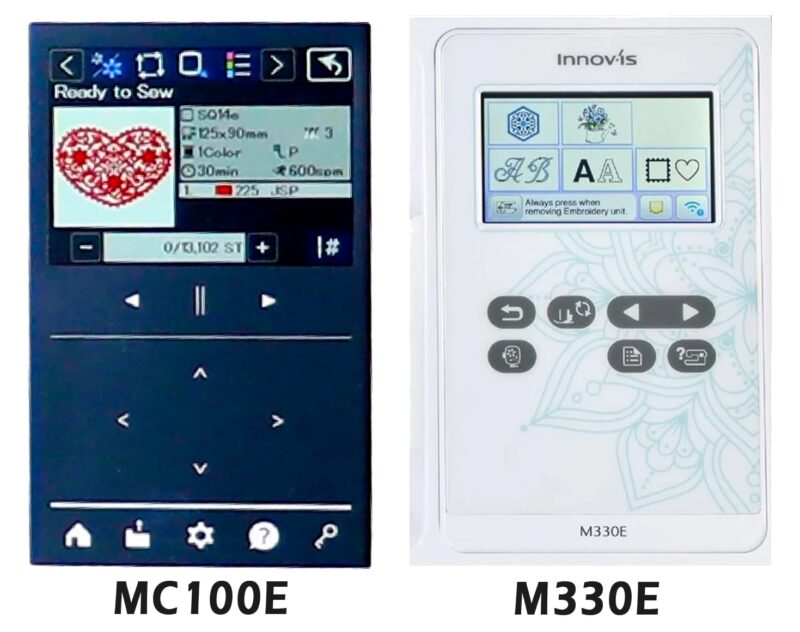
That was over 10 years ago and while technology has vastly improved, it is still just as easy to take a design from the screen to the fabric. Both the MC100E and M330E have touch colour screens that allow you to select, view, and edit your embroidery designs, that is where the similarities end.
Janome have opted for a near menu-free layout, with the most important functions available on screen when you need them. In contrast, Brother have multiple sub-menus requiring use fo the touch screen and push navigation buttons, which can make the simple process of flipping a design or changing its size, a long and complicated ordeal.
Points Awarded: Janome. While dozens of sub-menus can be okay on a printer, having everything easily accessible when you want it lets you focus on creating.
Built-In Designs & USB Connectivity
Whether you are buying a mobile phone, a sewing machine, or a reliable embroidery machine, you will always get more built-in embroidery designs, than you will need. After all, no two people are the same, and no two have the same taste in designs. As such, it is a ‘nice to have’ feature when your embroidery machine comes with a large range of built in designs (of course, there are literally hundreds of thousands of embroidery design available online, and with the right software, you can even create your own). So how many built in embroidery designs come with these machines:
- Janome: 274 built-in designs, 17 built-in embroidery fonts
- Brother: 135 built-in designs, 11 built-in embroidery fonts
Formats and Connectivity
- Janome: USB Memory Stick (up to 16Gb which can hold upwards of 20,000 designs – however, we recommend keeping less than 100 designs per memory stick, just so that it is easy to find the design that you want).
- Brother: USB Memory Stick (Limited to 70 patterns per USB), and WLAN (via Brother Software)
Points Awarded: Both, for different reasons. Janome has the leading edge on embroidery formats, which means that there will always be more designs available for Janome embroidery machines. Furthermore, there larger USB limits mean that it is easy to keep your embroidery libraries on hand and ready for stitching. With that said, Brother does have the function to directly connect to the computer for single design transfers.
Construction and Reliability
I am always hear my grandmother saying, “it is what is inside that counts”, and when it comes to choosing an embroidery machine, that is true. The construction of the machine plays a key role in the performance, maintenance and longevity of the machine. Since the beginning of Janome’s brand, they have focused on quality, a part of which is having an internal metal frame. This frame ensures that all bearings, shafts and even the needle plate does not (in any way that it is not meant to) while absorbing vibrations that naturally occur from a moving machine. Brother, on the other hand ultilise a reduced frame with multiple parts screwed directly into the plastic outer housing. While their range goes through significant quality controls, the relative increase in vibration can reduce the period servicing as tension springs and gears can be knocked about.
Points Awarded: Janome. While their full internal metal frame does add a little bit of weight to the machine, it makes the embroidery experience more enjoyable.
So, What is the Best Embroidery Machine between the Janome and Brother? (TL;DR)
If you want a truly compact embroidery-only machine that packs professional-grade precision, intuitive controls, and generous hoop capacity into a small footprint, choose the Janome MC100E. It outclasses the Brother Innov-is M330E on hoop versatility, stitch consistency, and user-friendly features—without inflating your workspace or your stress levels.
| Brother Innov-is M330E | Janome MC100E | |
| Work Space | 183.5mm x 110mm 7.2″ x 4.3″ | |
| Bed Type | Flat Bed Only | Free Arm Capable |
| Extra High Foot Lift | ✔ | ✔ |
| Quick Change Needle Plate | Metal Needle Plate with Plastic Bobbin Surround | Full Metal Needle Plate |
| Help Function | Instruction Manual | Instruction Manual & QR Code (On Screen) |
| Needle Threader | ✔ | ✔ |
| Thread Tension Control | Dial Control | Dial Control |
| Thread Cutter | Automatic | Automatic |
| Upper Thread Sensor | ✔ | ✔ |
| Bobbin Thread Sensor | Ꭓ | ✔ (Optical Sensor) |
| Easy Set Bobbin (ESB) | ✔ | ✔ |
| Maximum Embroidery Speed | 400 SPM | 66o SPM |
| Speed Control | ✔ (in Machine Settings) | ✔ (in Machine Settings) |
| Knee Lift | ||
| Lights – White LED | ✔ (2 Positions) | ✔ (2 Positions) |
| Auto Power Off Timer | ✔ | ✔ |
| USB Key Port | ✔ (1 USB Port) | ✔ (1 USB Port) |
| Memory Storage | Unknown | Up to 2.5MB |
| Touch Screen | 3.5″ Colour Touch Screen | 3.5″ Colour Touch Screen |
| Size (W x H x D) | 530 x 307 x 250 | 432 x 301 x 270 |
| Weight | 6.4 kgs | 9.1 kgs |
| Worldwide Voltage Regulator | ✔ (110~240V 50Hz~60Hz) | ✔ (110~240V 50Hz~60Hz) |
| Brother Innov-is M330E | Janome MC100E | |
| Embroidery Designs | 135 | 274 |
| Embroidery Fonts | 2 | 17 (inc 3 Japanese and 3 Russian) |
| Embroidery Couching Compatible | ✔ | ✔ |
| Embroidery Cutwork Compatible | ✔ | ✔ |
| On-Screen Editing | ✔ | ✔ |
| – Rotate | ✔ | ✔ |
| – Align | ✔ | ✔ |
| – Flip | Ꭓ | ✔ |
| – Resize | ✔ | ✔ |
| – Trace | ✔ | ✔ |
| – Duplicate | Ꭓ | ✔ |
| Embroidery Formats | .pes, .pen, .phc, .dst | .jef, .jef+, .jpx, .dst, .jcpr |
| Max Embroidery Area | 100mm x 100mm | 140mm x 140mm |
| Maximum Stitches per Embroidery Design | Unknown | 200,000 |
| Free Arm Embroidery | Ꭓ | ✔ |
| Included Hoops | M Hoop (100mm x 100mm) | SQ14e Hoop (140mm x 140mm) |