


What Size USB should I use on my Janome Embroidery Machine?
While the Janome embroidery machines come with several embroidery designs and fonts built into the machines, there generally comes a time when you want to download an embroidery design from the internet to stitch out on your machine. Whether it is a free Janome embroidery design or a paid version, these designs expand your creative options and allow you to let your imagination be the determining factor in what you can create. Of course, this raises a couple of questions. What embroidery format does my Janome embroidery machine use? And; what size USB can I use in my embroidery machine?
What size USB can I use with my Janome embroidery machine:
There are a few factors that go into the maximum capacity that a Janome embroidery machine model can accommodate; including the common file system (from when the machine was produced) and the machine’s internal memory. Before we get into what we recommend for all current Janome embroidery USB sticks, the table below highlights the maximum USB memory size, their file format, and the average number of designs that could (theoretically) fit on the largest USB for that machine (assuming 32kb per design).
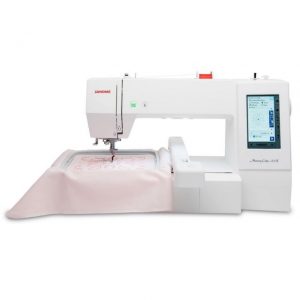
Maximum USB Size for Janome Embroidery Models
| Model | Maximum USB Size | |
| Combined Sewing & Embroidery Models | Continental M17 | 16 GB |
| MC15000 | 16 GB | |
| MC14000 | 16 GB | |
| MC12000 | 4 GB | |
| MC11000 | 2 GB | |
| MC9900 | 8 GB | |
| MC9850 | 8 GB | |
| Skyline S9 | 16 GB | |
| MC1000 | 16 GB | |
| Embroidery Only Models | MC550E | 16 GB |
| MC500E | 16 GB | |
| MC400E | 16 GB | |
| MC370E/MC350E | 512 MB* | |
| MC200E | 2 GB* | |
| MC100E | 16 GB | |
| MB-4 / MB-4S / MB-7 | 2 GB* |
* The USB must be formatted before it can be read by the machine. (To learn how to format a USB memory stick, see our video guide)
So, should I order an embroidery USB that is the largest possible for my machine?
So how do I get the most out of my Embroidery USB Drive for my Janome Embroidery Machine?
There are a couple of steps that you can put in place to maximise your embroidery potential when using an Embroidery USB drive:
- Use the smallest USB possible. We have 64MB Embroidery USB Drives in stock at all times, allowing you to use them with any embroidery machine.
- Only transfer the embroidery designs that you are currently working with to the USB. This will speed up the load time when the USB is plugged into the machine and will make it easier to find the designs that you want on the machine.
If you have any questions, please reach out to us, and one of our friendly team will be more than happy to assist.